
ESP32 Test Codes
## Oceanlabz ESP32 Preloaded Code Guide 1\. **Overview** Each ESP32 board from Oceanlabz is rigorously tested to ensure quality and functionality. A preloaded code is included on the board to allow you to verify that the ESP32 is working correctly before uploading your custom code. **2\. Accessing t
#Oceanlabz ESP32 Preloaded Code Guide
1. Overview
Each ESP32 board from Oceanlabz is rigorously tested to ensure quality and functionality. A preloaded code is included on the board to allow you to verify that the ESP32 is working correctly before uploading your custom code.
2. Accessing the Preloaded Code
The preloaded code is configured with the following Wi-Fi credentials:
- SSID:
OL-ESP32-AP - Password:
12345678
Simply power on the ESP32 and check that it connects to your Wi-Fi network using these credentials. This step confirms the Wi-Fi functionality of the board.
3. Purpose of the Preloaded Code
This preloaded code is intended purely for functionality testing. By connecting to the specified Wi-Fi, you can confirm that the ESP32’s Wi-Fi module, power, and communication are all operational.
4. Uploading Your Custom Code
Once you've confirmed that the ESP32 board is functioning correctly, feel free to upload your own code. The board is ready for any projects you want to explore.
5. Troubleshooting
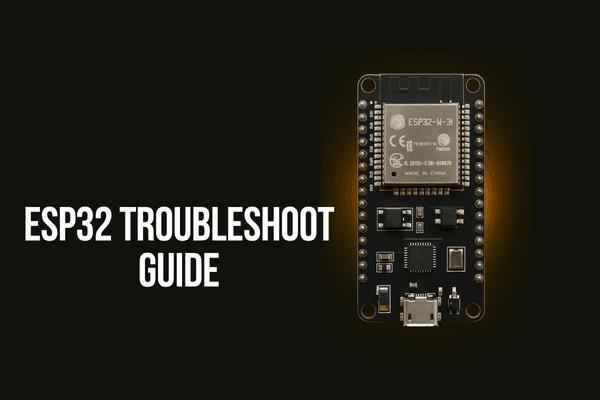
If you encounter issues connecting to Wi-Fi or uploading your code, please check esp32 troubleshoot guide
#Test Code - 1
First, make sure you have the ESPAsyncWebServer library and the WiFi library installed in your Arduino IDE. You can install them from the Library Manager.
#include <WiFi.h> #include <ESPAsyncWebServer.h>
const char* ssid = "OL-ESP32-AP"; const char* password = "12345678";
#define LED_BUILTIN 2
AsyncWebServer server(80);
const char* htmlPage = R"rawliteral(
Technical Specifications
Microcontroller: ESP32-D0WDQ6
Clock Frequency: Up to 240 MHz
Flash Memory: 4 MB (external SPI flash)
SRAM: 520 KB
WiFi: 802.11 b/g/n
Bluetooth: v4.2 BR/EDR and BLE
Operating Voltage: 3.3V
Operating Temperature Range: -40°C to 125°C
GPIO Pins: 34 (some pins have specific functions)
void setup() { Serial.begin(115200);
// Initialize LED pin as output pinMode(LED_BUILTIN, OUTPUT);
// Set up access point WiFi.softAP(ssid, password);
IPAddress IP = WiFi.softAPIP(); Serial.print("AP IP address: "); Serial.println(IP);
// Serve HTML page server.on("/", HTTP_GET, [](AsyncWebServerRequest *request){ request->send(200, "text/html", htmlPage); });
server.begin(); }
void loop() { // Blink LED to indicate the server is running digitalWrite(LED_BUILTIN, HIGH); delay(500); digitalWrite(LED_BUILTIN, LOW); delay(500); }
#Test Code - 2
#include <WiFi.h> #include <BluetoothSerial.h>
const int ledPin = 2; // Built-in LED on most ESP32 boards
// WiFi credentials const char* ssid = "your_SSID"; const char* password = "your_PASSWORD";
// Bluetooth Serial object BluetoothSerial ESP_BT;
// Touch sensor pin and threshold const int touchPin = T0; // Touch pin 0 is GPIO 4 const int touchThreshold = 40;
// WiFi connection state bool wifiConnected = false; unsigned long wifiAttemptStartTime = 0; const unsigned long wifiTimeout = 10000; // 10 seconds timeout
void setup() { // Initialize serial communication Serial.begin(115200); while (!Serial) { ; // Wait for serial port to connect. Needed for native USB port only } Serial.println("ESP32 Serial Test");
// Initialize LED pin as output pinMode(ledPin, OUTPUT);
// Initialize Bluetooth if (!ESP_BT.begin("ESP32_BT_Test")) { Serial.println("An error occurred initializing Bluetooth"); } else { Serial.println("Bluetooth initialized"); }
// Start WiFi connection attempt WiFi.begin(ssid, password); wifiAttemptStartTime = millis();
// Test touch sensor int touchValue = touchRead(touchPin); Serial.print("Touch sensor value: "); Serial.println(touchValue); if (touchValue < touchThreshold) { Serial.println("Touch detected"); } else { Serial.println("No touch detected"); } }
void loop() { // Blink LED digitalWrite(ledPin, HIGH); // Turn the LED on delay(500); // Wait for half a second digitalWrite(ledPin, LOW); // Turn the LED off delay(500); // Wait for half a second
// Send message via Bluetooth ESP_BT.println("Hello from ESP32 Bluetooth!");
// Print touch sensor value periodically int touchValue = touchRead(touchPin); Serial.print("Touch sensor value: "); Serial.println(touchValue);
// Non-blocking WiFi connection attempt if (!wifiConnected) { if (WiFi.status() == WL_CONNECTED) { wifiConnected = true; Serial.println("\nConnected to WiFi"); } else if (millis() - wifiAttemptStartTime > wifiTimeout) { Serial.println("\nWiFi connection attempt timed out"); // Optionally, you can start another connection attempt WiFi.begin(ssid, password); wifiAttemptStartTime = millis(); } } else { Serial.println("Already connected to WiFi"); }
delay(2000); // Wait for 2 seconds before repeating }