ESP32 S3 AI Explorer with 1.3 inc OLED Display
The OceanLabz ESP32-S3 AI Explorer Development Board is a compact AI and IoT platform powered by the ESP32-S3 with 16MB Flash and 8MB PSRAM. It features an INMP441 digital micropho...
Flash Firmware Directly from Browser
Connect your ESP32 S3 AI Explorer with 1.3 inc OLED Display board to your computer using a USB data cable. Click the button below to pair with your serial port and flash the official AI Xiaozhi firmware in seconds.
Hardware Checklist
- ✓Microcontroller: ESP32-S3 Development Board
- ✓Display: OLED 1.3" Module (I2C / SPI)
- ✓Microphone: INMP441 Omnidirectional I2S Mic
- ✓Audio Output: MAX98357A I2S DAC Amplifier + Speaker
- ✓Connection: USB Type-C Data Cable (for power & flashing)
Video Walkthrough
YouTubeWatch step-by-step assembly, pairing with the Xiaozhi platform, and live voice interactions.
Step-by-Step Hardware & Setup Guide
Follow the wiring connections, component details, Wi-Fi pairing instructions, and voice commands below.
Introduction
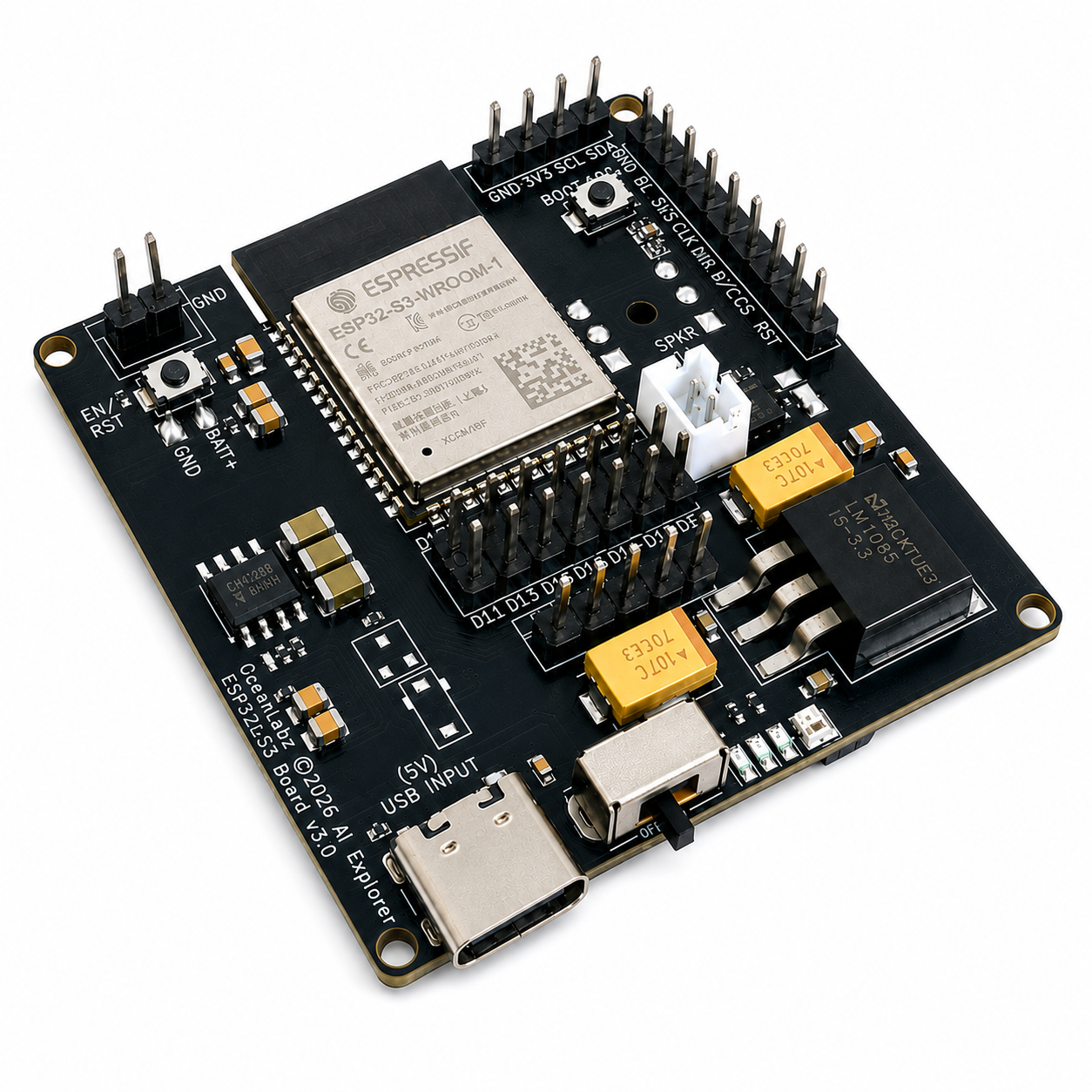
The OceanLabz ESP32-S3 AI Explorer Development Board is a compact AI and IoT platform powered by the ESP32-S3 with 16MB Flash and 8MB PSRAM. It features an INMP441 digital microphone, MAX98357A audio support, Wi-Fi, Bluetooth, Micro SD, and USB Type-C. Compatible with Arduino IDE, ESP-IDF, and PlatformIO, it's ideal for AI voice assistants, robotics, Edge AI, and IoT projects.
In this tutorial, we will set up XiaoZhi AI on the OceanLabz ESP32-S3 AI Explorer Development Board. By the end of this guide, your board will be fully configured and ready to use as an AI voice assistant.
Required Components
| Component | Description | Qty |
|---|---|---|
| ESP32-S3 AI Explorer Board | Board | 1 |
| 2W 4Ω Speaker | 2W 4Ω Speaker or any available speaker up to 16Ω. | 1 |
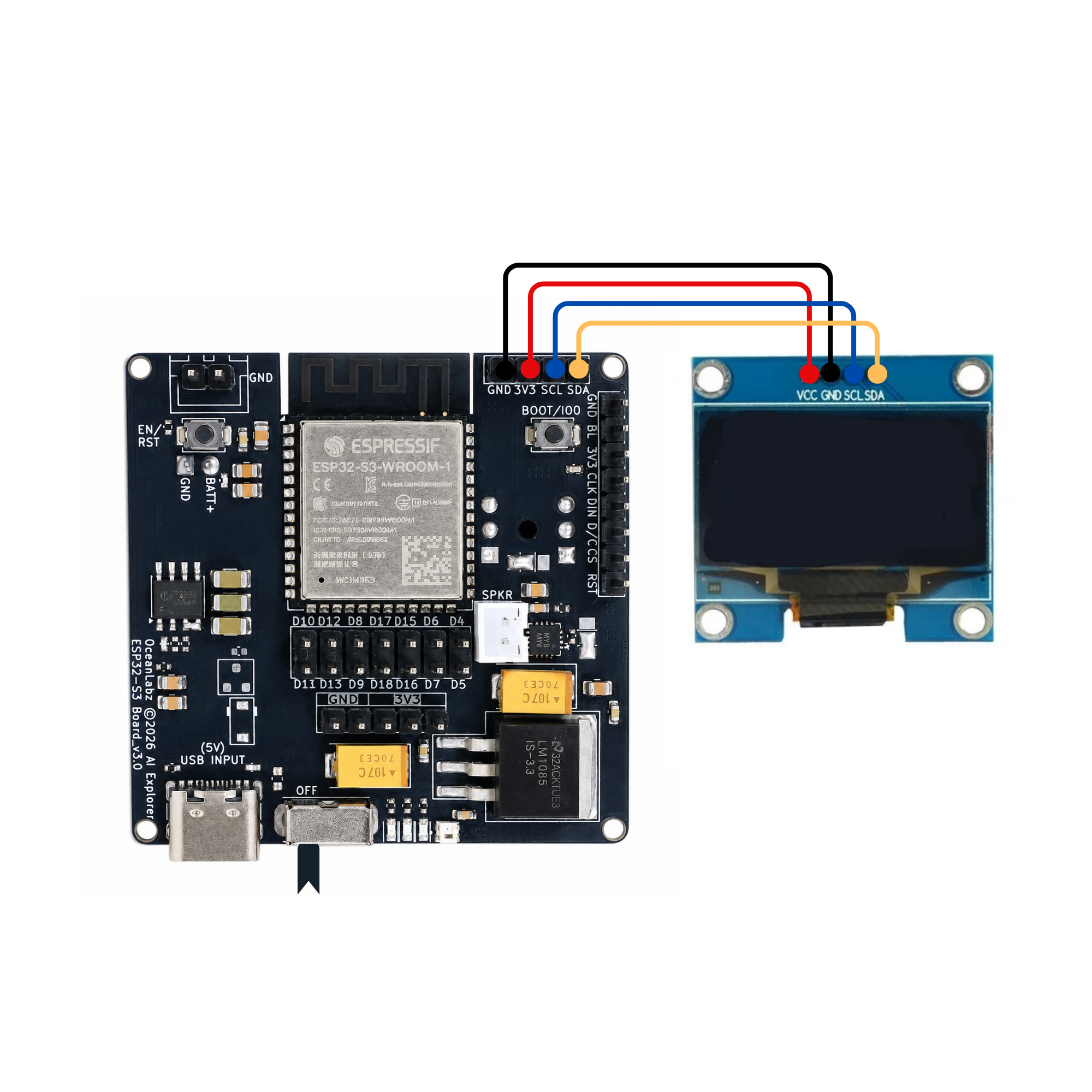
| 0.96 inc OLED Display (I2C) 128x64 | Shows pairing code, Animations and more! | 1 |
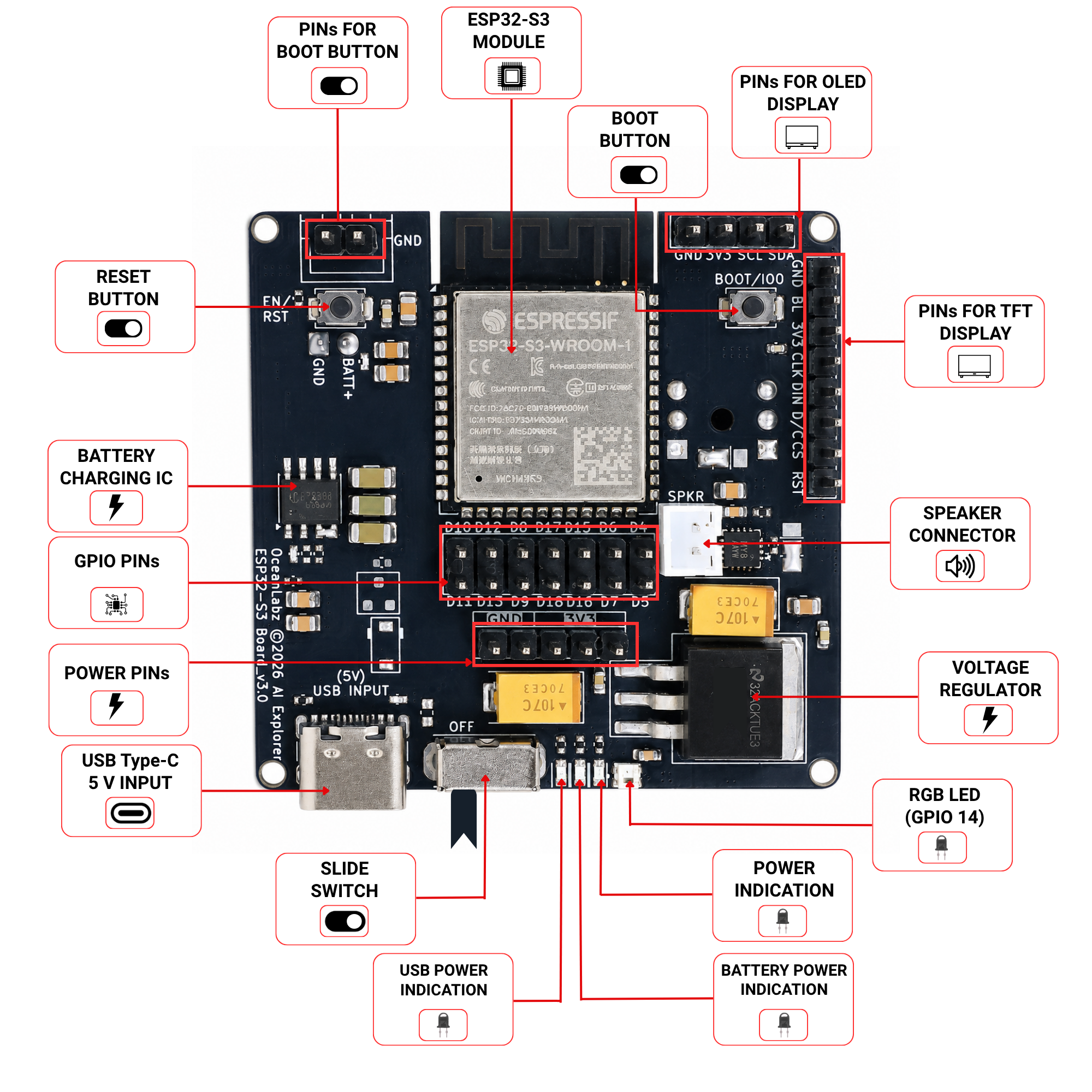
Front Side
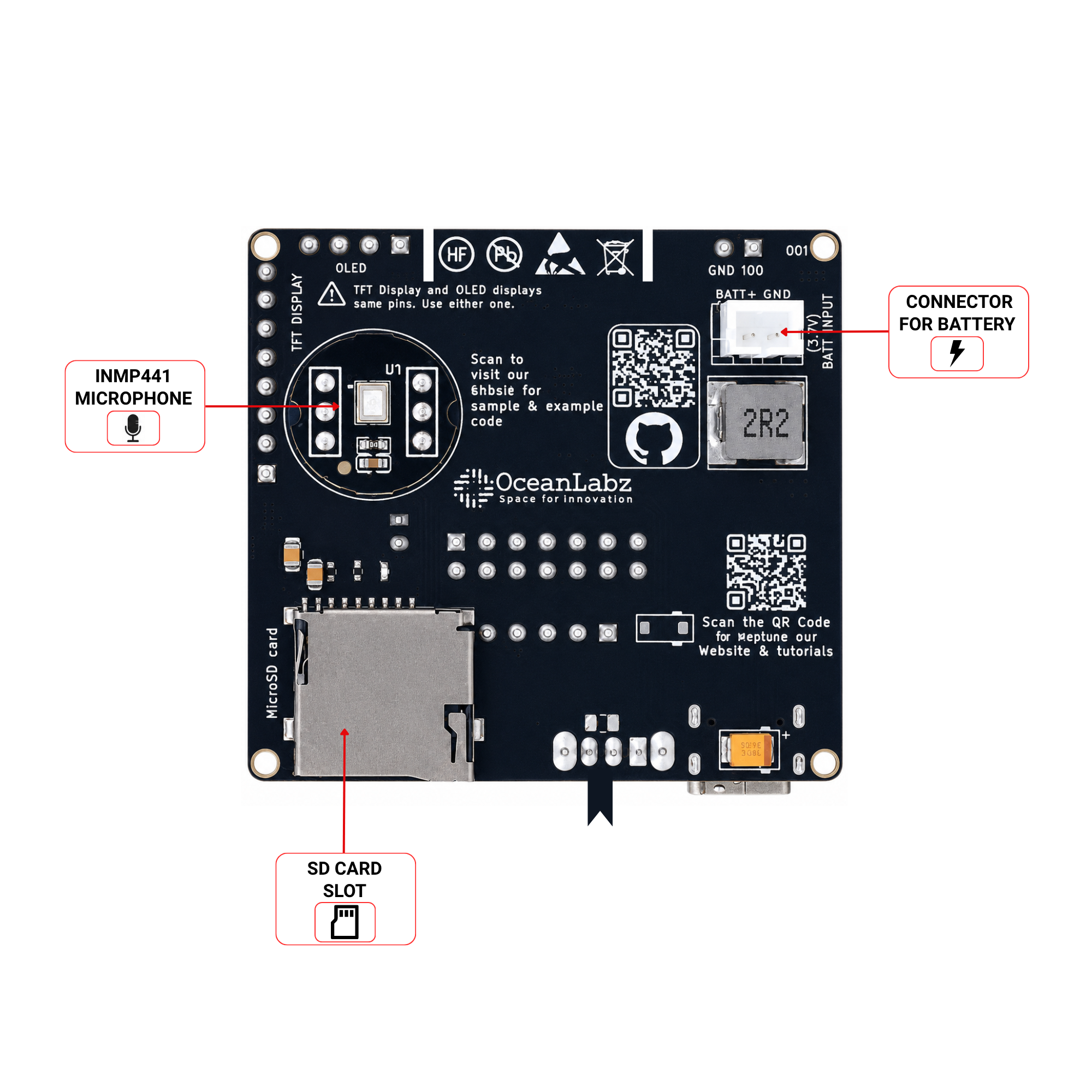
Back Side
Circuit Diagram
Flash Firmware (Browser-Based)
No Arduino IDE required — flash directly from your browser using Web Serial.
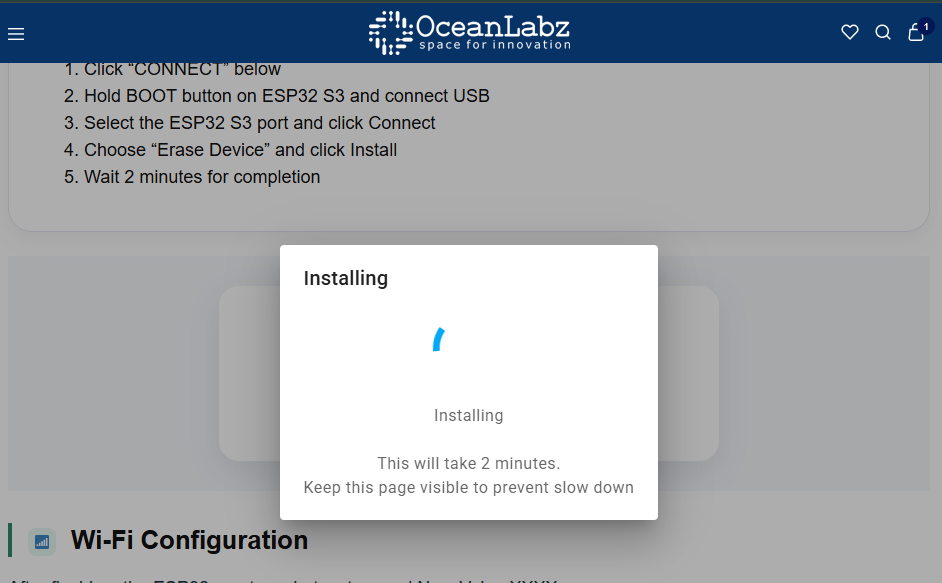
- Click "CONNECT" below
- Hold BOOT button on ESP32 and connect USB
- Select the ESP32 port and click Connect
- Choose "Install OceanLabz ESP32" and click Install
- Wait 2 minutes for completion
Wi-Fi Configuration
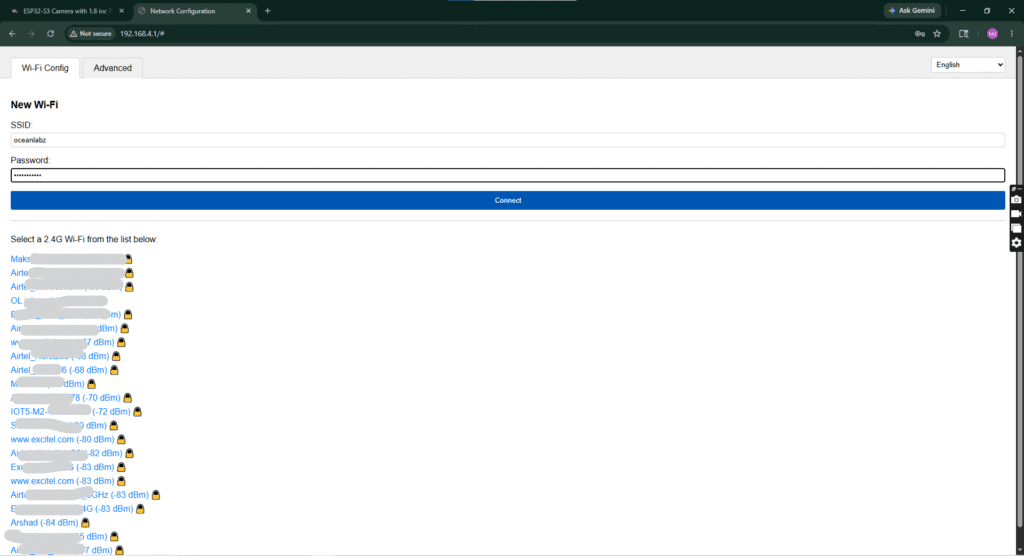
After flashing, the ESP32 creates a hotspot named Xiaozhi-XXXX.
- Connect to this Wi-Fi (no password)
- Open
192.168.4.1in browser - Select your home 2.4GHz Wi-Fi and enter password
- Device will restart and connect to your network
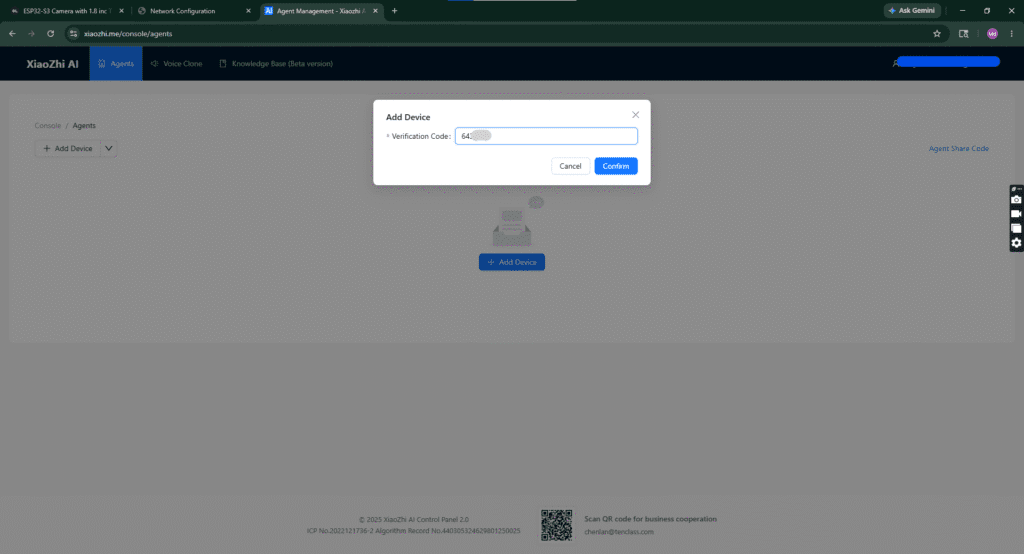
Create Account & Pair
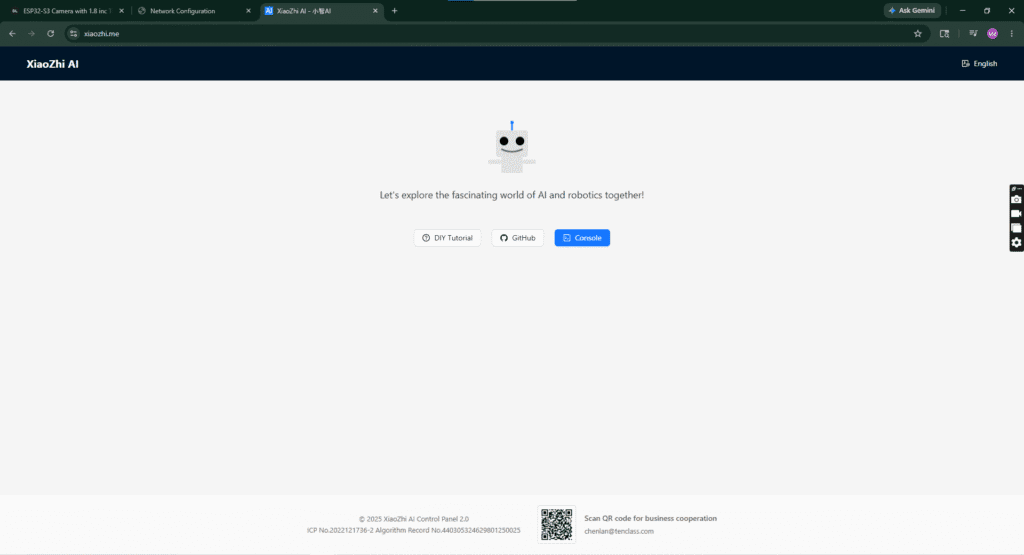
Pair Your ESP32